CAUTION: This guide here is for HTC One M8 UL CID 11111111 and S-Off users only.
Download the Android.zip(78.5 MB) ADB, Fastboot, Marshmallow Firmware and other tools.
Boot to fastboot mode.
- Extract the contents directly into your C:\ partition. You should now have a folder C:\Android that looks something like this:
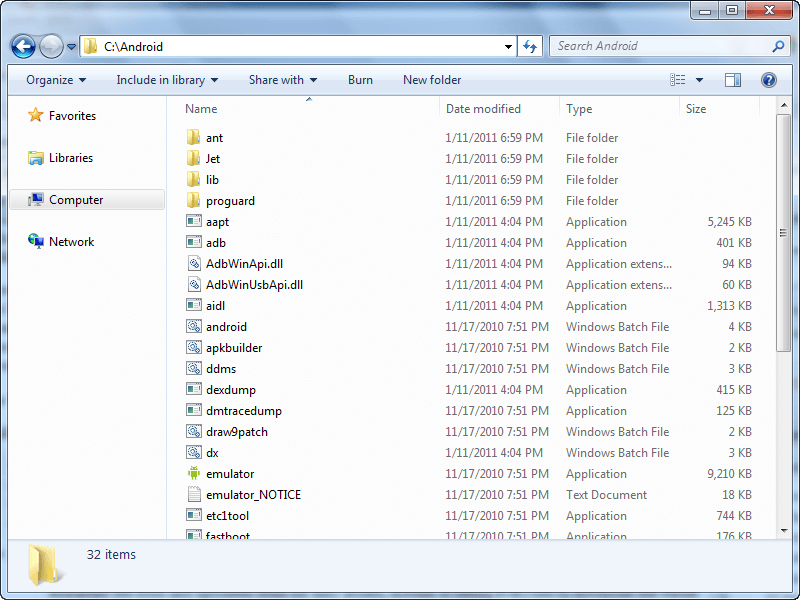
Open command prompt as administrator and key in the following commands.
fastboot oem rebootRUU
fastboot flash zip firmware.zip
fastboot flash zip firmware.zip
Now wait for the process to be completed. Note the above comman is enetered twice on purpose. The first doesn't really finish it but the second one finalizes it.
When the process is done, the green bar on the phone will be static. Wait for 10 seconds and then key in this command
fastboot reboot - for a full system reboot
fastboot reboot-bootloader - to reboot just bootloader
Note that the firmware in this context does not refer to the Operating system on your device but it prepares you to be able to run any Marshmallow ROM for HTC One M8 without issues. If you are already on Official Marshmallow, you do need this. You can just flash recovery and you are ready to flaash ROMs.

No comments:
Post a Comment