Sunday, May 8, 2016

HOW TO UPGRADE TO MARSHMALLOW FIRMWARE ON HTC ONE M8 FOR BEGINNERS

CAUTION: This guide here is for HTC One M8 UL CID 11111111 and S-Off users only.


Download the Android.zip(78.5 MB) ADB, Fastboot, Marshmallow Firmware and other tools.


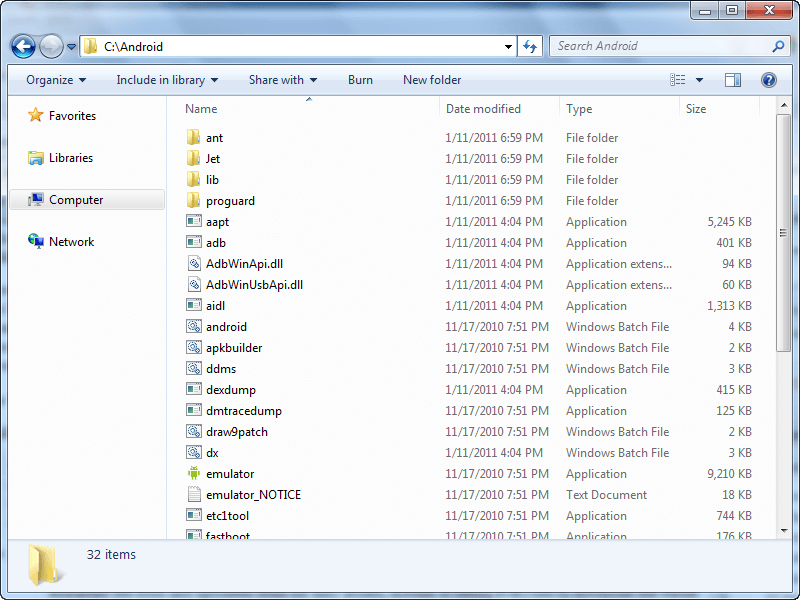
  • Extract the contents directly into your C:\ partition. You should now have a folder C:\Android that looks something like this:

Boot to fastboot mode.

Open command prompt as administrator and key in the following commands.

fastboot oem rebootRUU

fastboot flash zip firmware.zip

fastboot flash zip firmware.zip

Now wait for the process to be completed. Note the above comman is enetered twice on purpose. The first doesn't really finish it but the second one finalizes it.

When the process is done, the green bar on the phone will be static. Wait for 10 seconds and then key in this command

fastboot reboot     - for a full system reboot


fastboot reboot-bootloader     - to reboot just bootloader

Note that the firmware in this context does not refer to the Operating system on your device but it prepares you to be able to run any Marshmallow ROM for HTC One M8 without issues. If you are already on Official Marshmallow, you do need this. You can just flash recovery and you are ready to flaash ROMs.

How to flash TWRP Recovery on HTC One M8 for Beginners

How to Boot to Fastboot Mode

  1. Power off the smartphone completely.
    – make sure that it is not connected to your PC.
  2. After several seconds with the phone turned off you should press and hold Power and volume Down silmultaneously.
  3. This will load the Bootloader Mode of your HTC One M8 and you can release all buttons.
    – note that this might be trickier than you would normally expect, so you should more than once in case it doesn’t work at the first attempt.
  4. Use the Volume buttons to select FASTBOOT option. Press Power to boot the Fastboot Mode.


FLASHING TWRP RECOVERY

1. Open command prompt as administrator and enter the following commands one after the other.

cd /d c:\Android

fastboot flash recovery recovery.img

That's all. Recovery is flashed. You can now use the volume down button to select recovery from the fastboot mode an the press the power button to boot into recovery.

How to Unlock HTC One M8 Bootloader for Beginners

Important: Download and install HTC Sync to have the usb drivers installed. After installing, you may choose to uninstall it from your PC. Its just the drivers we need.

Method 1 - UNLOCKING BOOTLOADER WITHOUT HTC DEV


  1. Make sure you have htc drivers installed by follow the instruction above.
  2. Root your device with kingroot apk by visiting www.kingroot.net with your M8's browser. Download and install the kingroot apk and then hit the root button after installation. You need internet access on your device for the rooting process to be successful.
  3. Once rooted, go to settings>About>Software information>More> and hit on build number 7 times to unlock Developer Options
  4. Go to settings>Developer Options> and then you enable usb debugging.
  5. Download the Android.zip(78.5 MB) ADB, Fastboot, Marshmallow Firmware and other tools.


  • Extract the contents directly into your C:\ partition. You should now have a folder C:\Android that looks something like this:


    6. Open command prompt as administrator
    7. Copy and paste these commands in your command prompt one after the other: 

    cd /d c:\Android

    adb devices

    adb shell

    su       -The phone will prompt to you allow root access

    echo -ne "HTCU" | dd of=/dev/block/mmcblk0p2 bs=1 seek=33796

    Now you reboot to bootloader and you will find that your HTC One M8 is UNLOCKED and you are now ready to flash a custom recovery like TWRP.