Method 1 - UNLOCKING BOOTLOADER WITHOUT HTC DEV
- Make sure you have htc drivers installed by follow the instruction above.
- Root your device with kingroot apk by visiting www.kingroot.net with your M8's browser. Download and install the kingroot apk and then hit the root button after installation. You need internet access on your device for the rooting process to be successful.
- Once rooted, go to settings>About>Software information>More> and hit on build number 7 times to unlock Developer Options
- Go to settings>Developer Options> and then you enable usb debugging.
- Download the Android.zip(78.5 MB) ADB, Fastboot, Marshmallow Firmware and other tools.
- Extract the contents directly into your C:\ partition. You should now have a folder C:\Android that looks something like this:
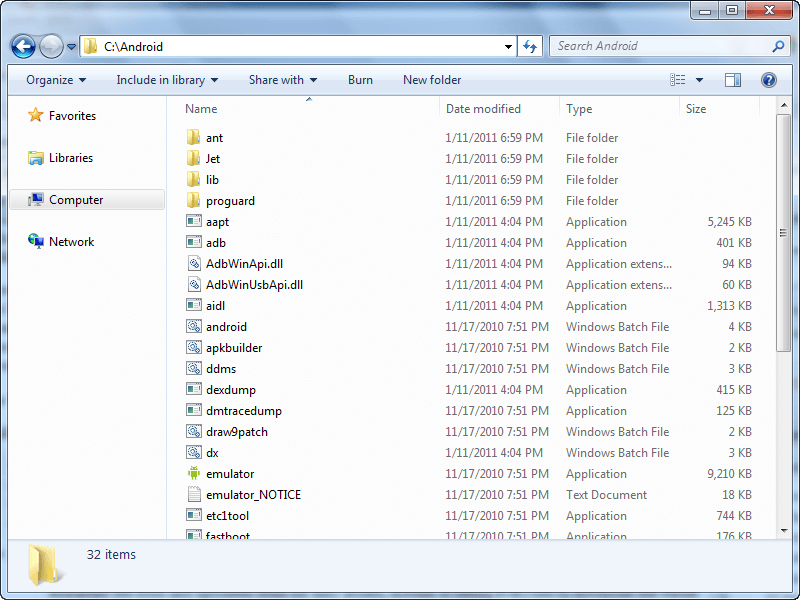
6. Open command prompt as administrator
7. Copy and paste these commands in your command prompt one after the other:
cd /d c:\Android
adb devices
adb shell
su -The phone will prompt to you allow root access
echo -ne "HTCU" | dd of=/dev/block/mmcblk0p2 bs=1 seek=33796
Now you reboot to bootloader and you will find that your HTC One M8 is UNLOCKED and you are now ready to flash a custom recovery like TWRP.

No comments:
Post a Comment